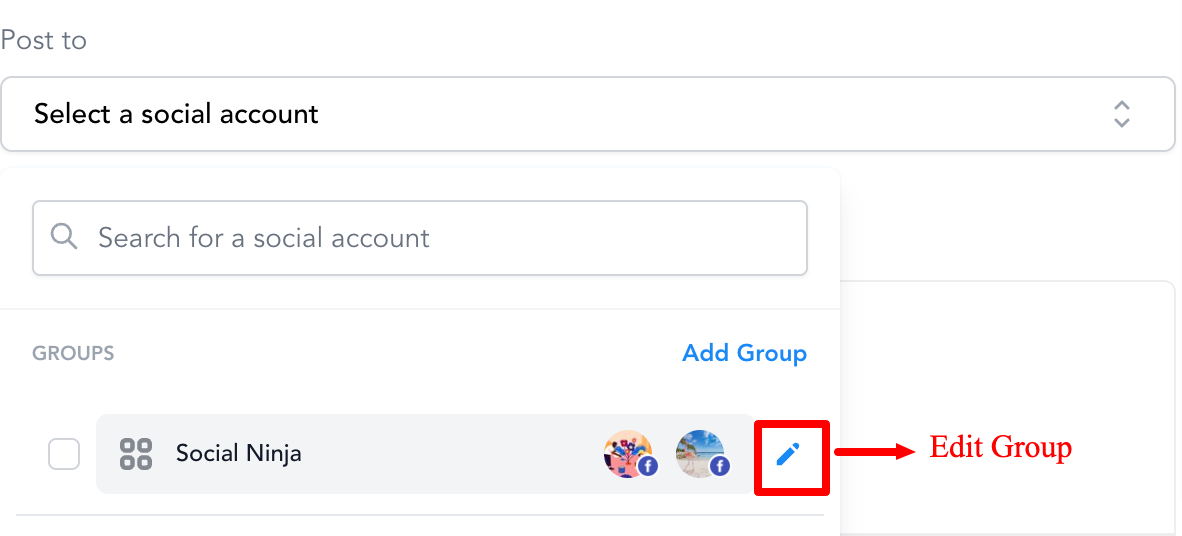
Grouping of Social Media Profiles There are times when there are multiple social media profiles or networks. It becomes tough to select each time social profiles while creating a new post. It would become a lot faster to select them all at once with Social Grouping.
How to create a Social Group?
It can be created from the overview page of Social Planner or while creating a new post or in Settings of Social Planner, user can manage the social accounts inside the group.
Each Social will become unique inside the group.
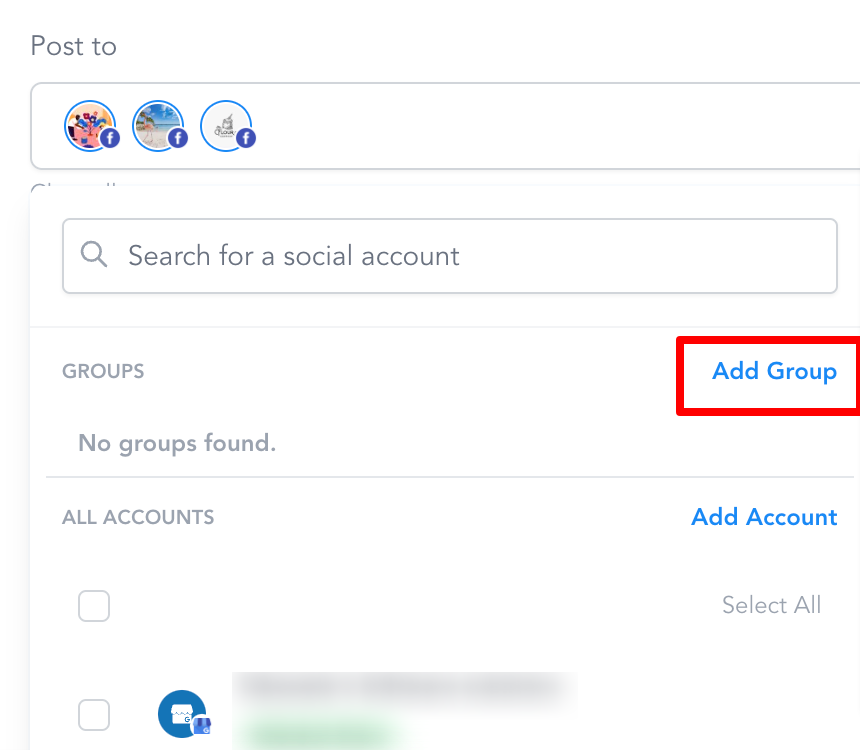
Step 1: Click on Add Group
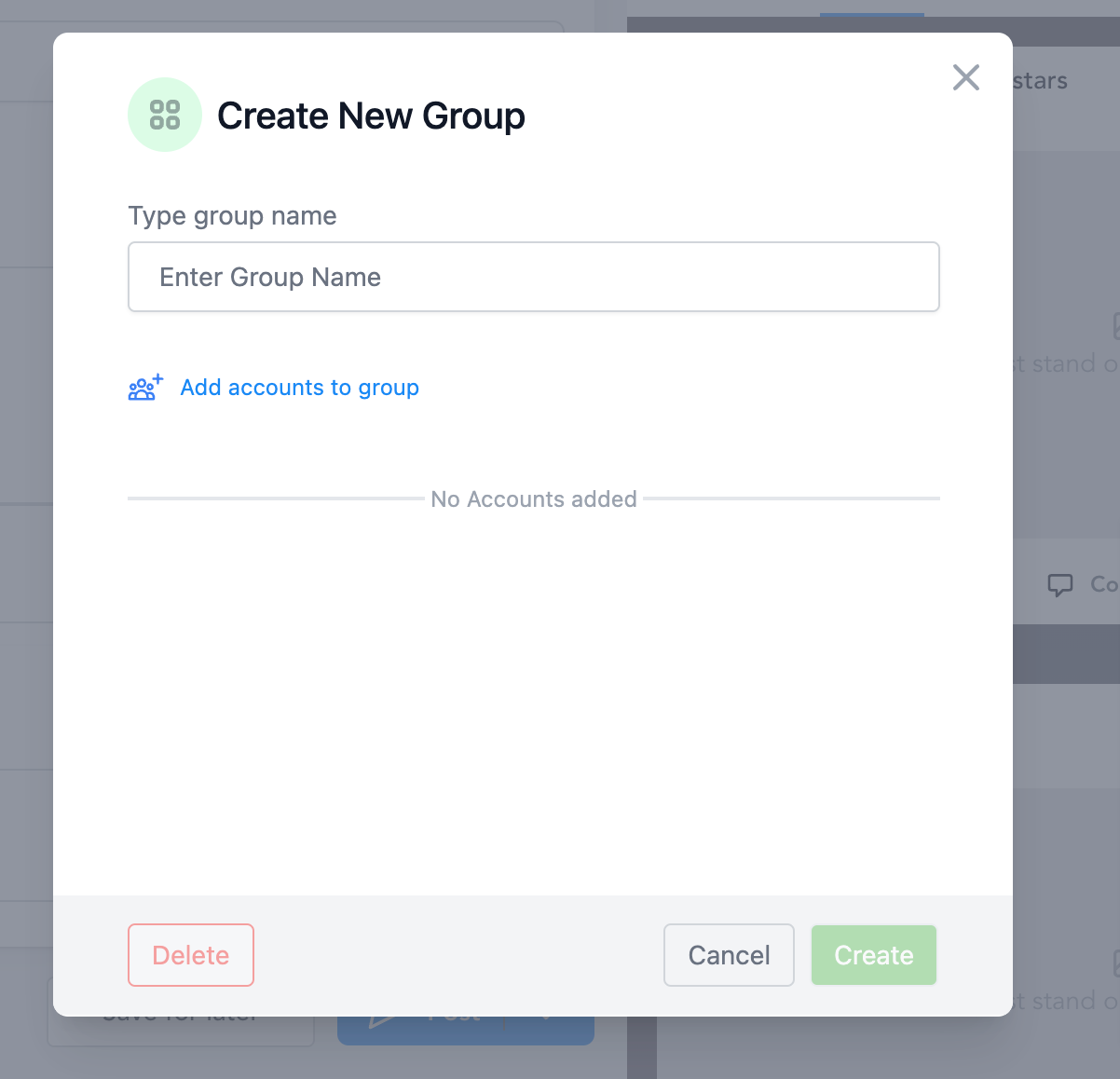
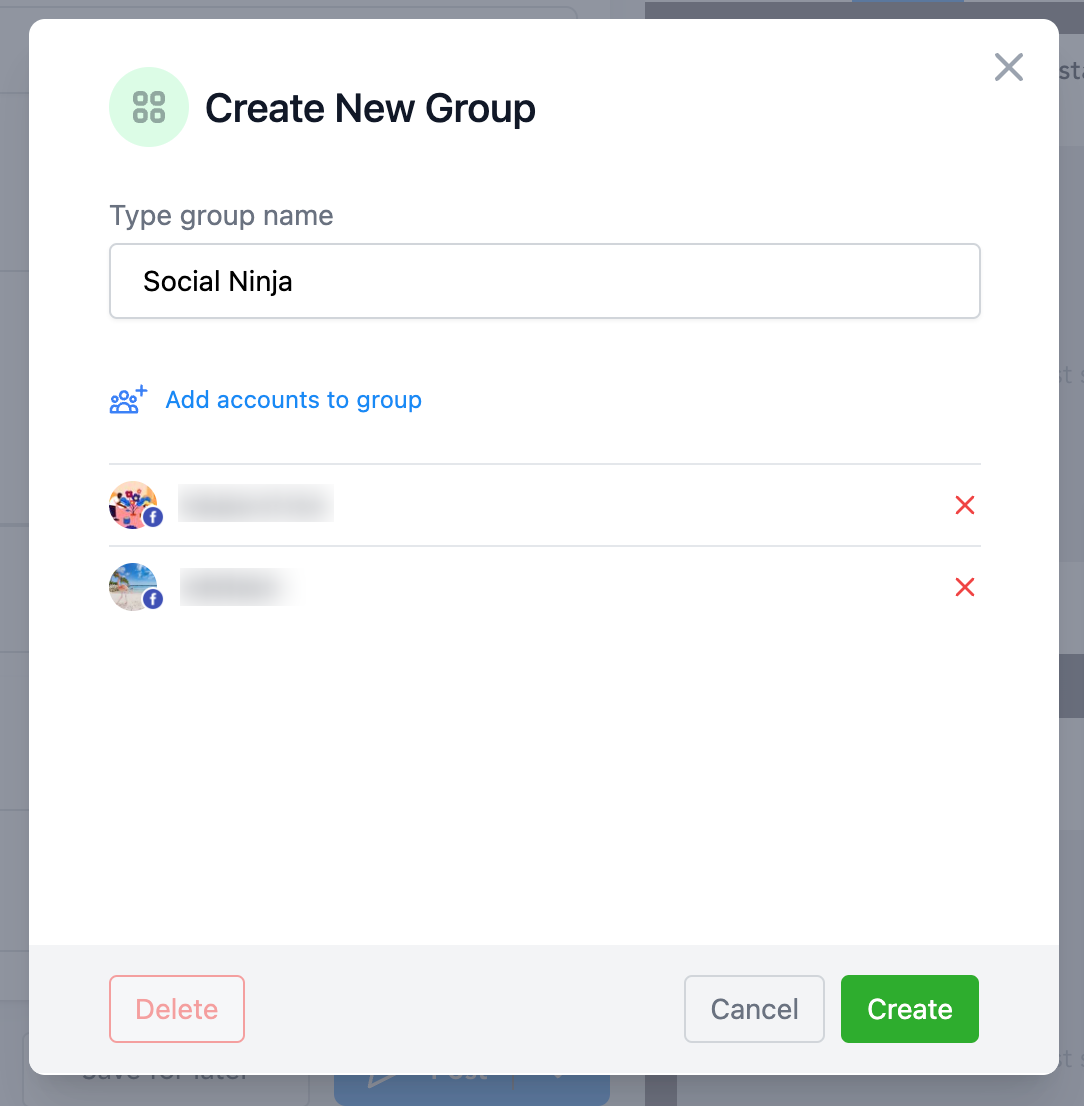
Step 2: Enter the Group Name
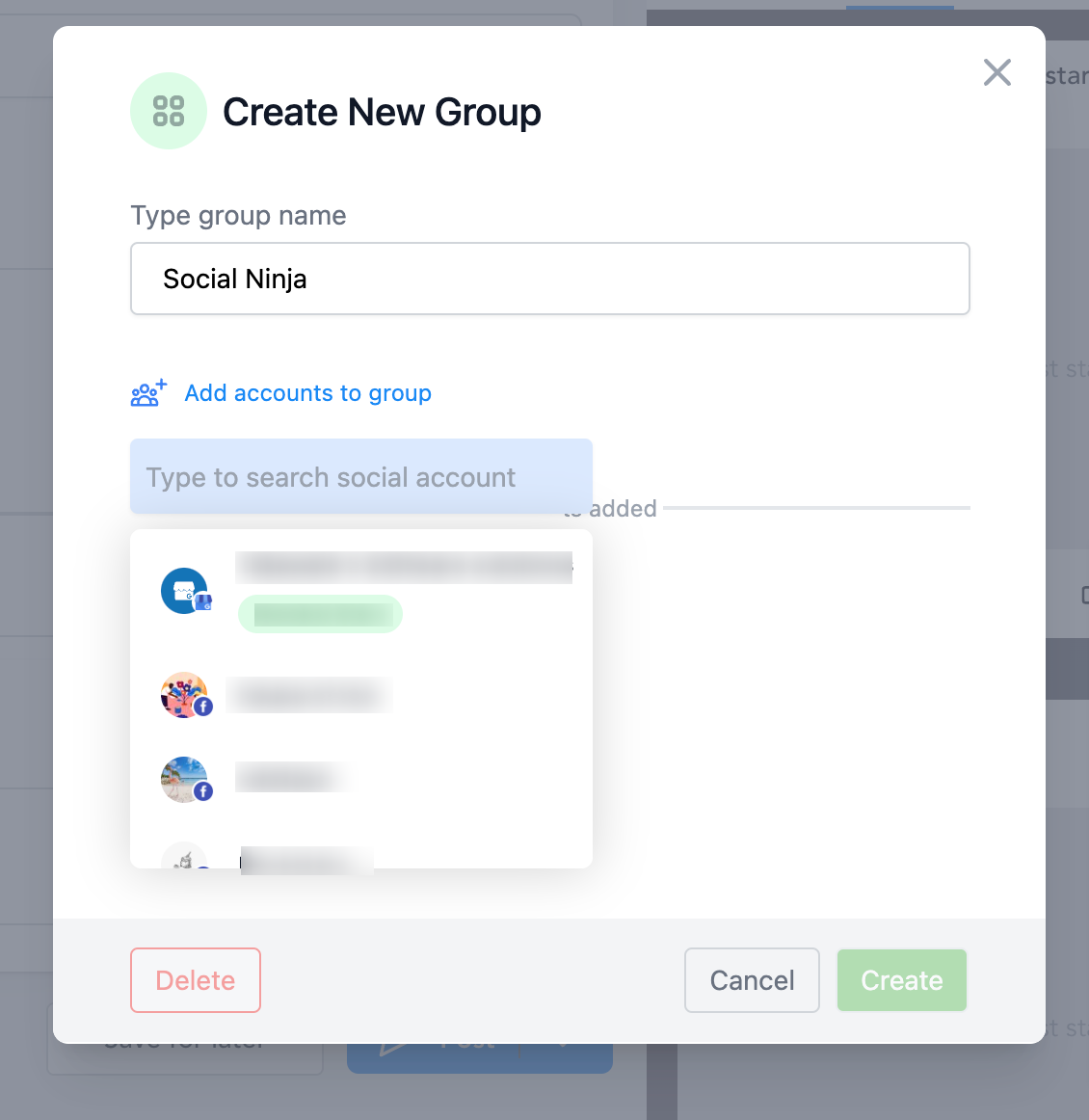
Step 3: Click on Add accounts to group and select your social channels
Step 4: Click on Add Group
Step 5: If needed, you can edit theGroup by clicking on the pencil icon