Live Chat = Free Leads !
Installing the LevelUp Live Chat widget on client websites is one of the easiest ways to generate leads without the need for ad-spend.
Where traditional live chat often results in a bad user experience due to lengthy response times, the LevelUp chat widget excels as it opens up a 2-way SMS chat, freeing the user to leave the website but continue the conversation!
How to add the LevelUp Chat Widget to Websites and Funnels
How to add a chat widget to a Wordpress website
How to trigger a notification for new chats
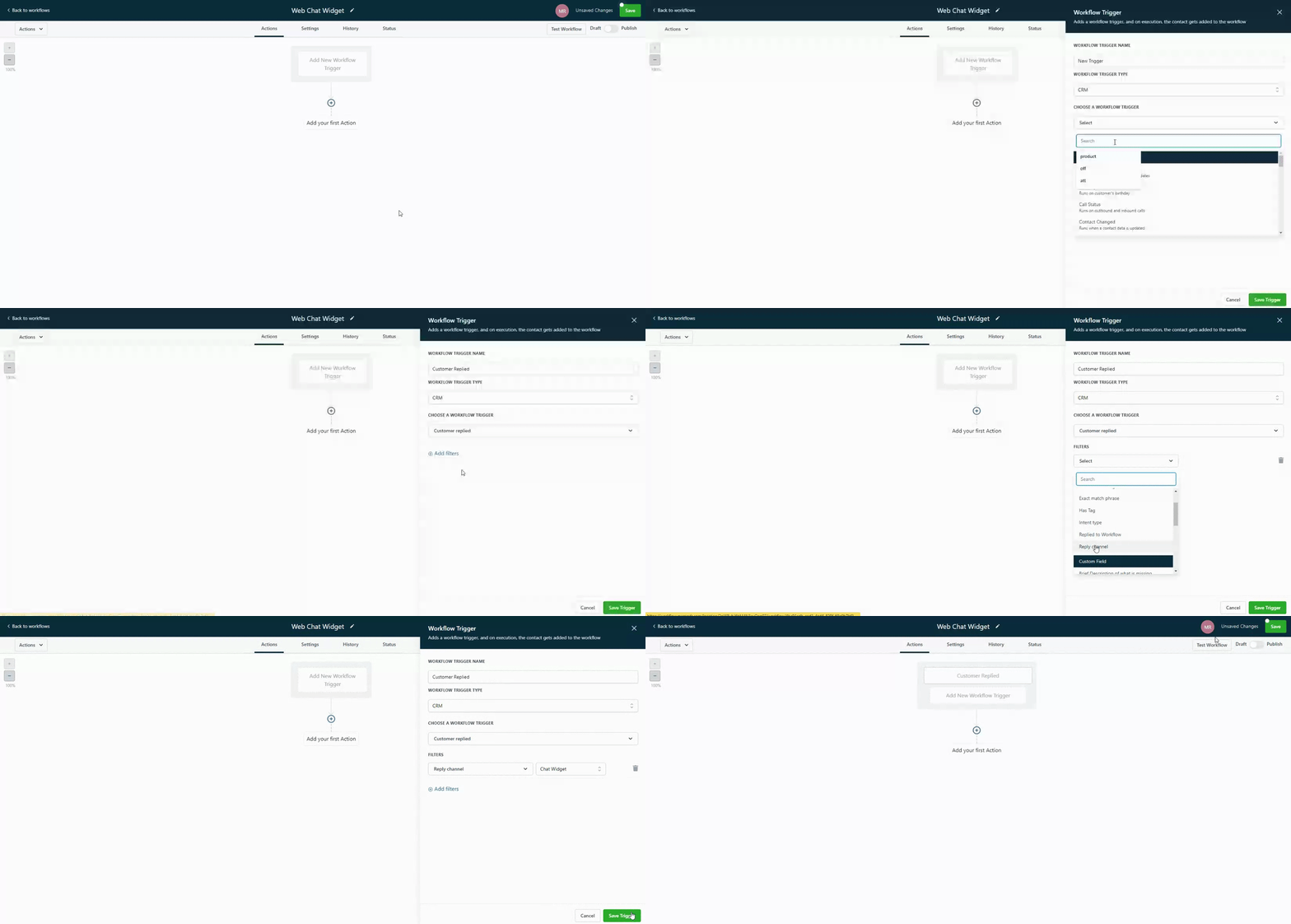
Step 1: Once you have a chat widget set up, you'll want to configure a Workflow Trigger to send a notification when a conversation is initiated via the chat widget.
To do this, the trigger event should be “Customer Replied” with a filter for “Reply Channel” set to “Chat Widget” like this:
Please Note:
Every “Reply channel” will require its own respective trigger. For the example above we are only using “Chat Widget”, if you wanted to useGMB chat you would need to setup a NEW trigger and or workflow for that specific event.
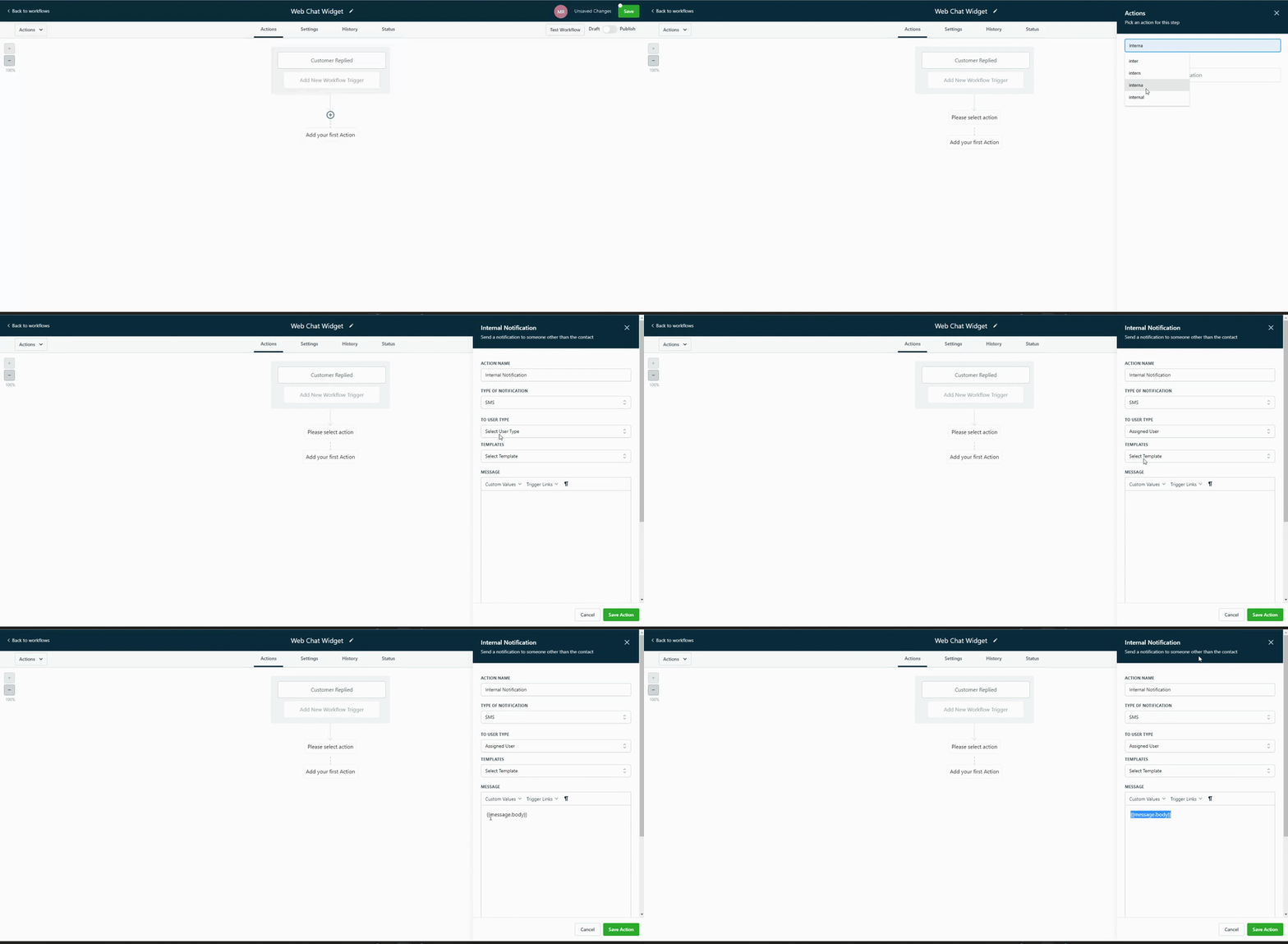
Step 2:Next hit the + > Search for “internal notifications” > You can select from 3 options:
1. Email - Send email to a specific Users or custom email
2. In-app notification - Send a notification via the webapp or mobile app to a specific Users or all
3. SMS - Send SMS to a specific Users or custom number
Quick Tip:
Use the “{{ Message Body}}” custom value in your notification email/text to display the message that the user entered into the chat widget.