Troubleshooting GMB messages Checklist:
- The primary Google account should be the Admin/ Manager to get messaging enabled
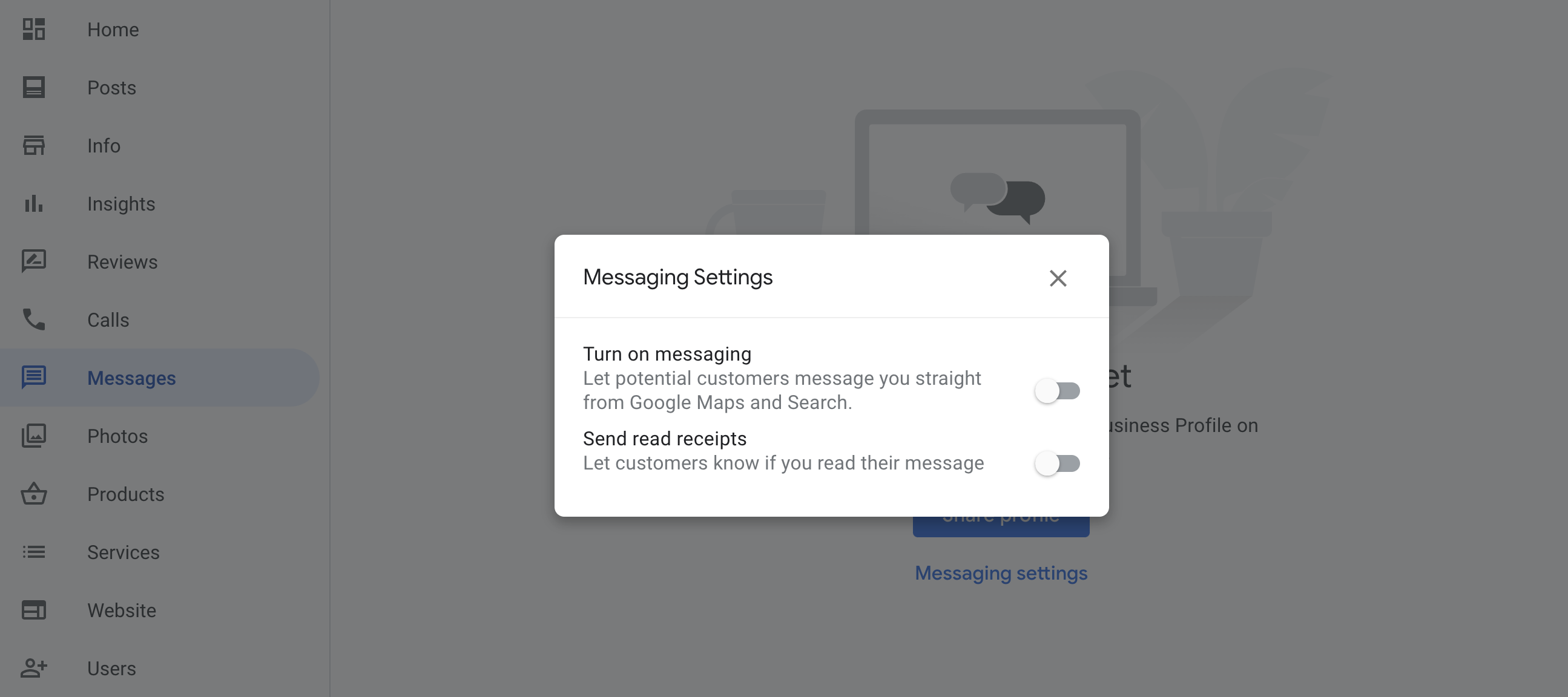
- GMB messaging should be disabled in Google
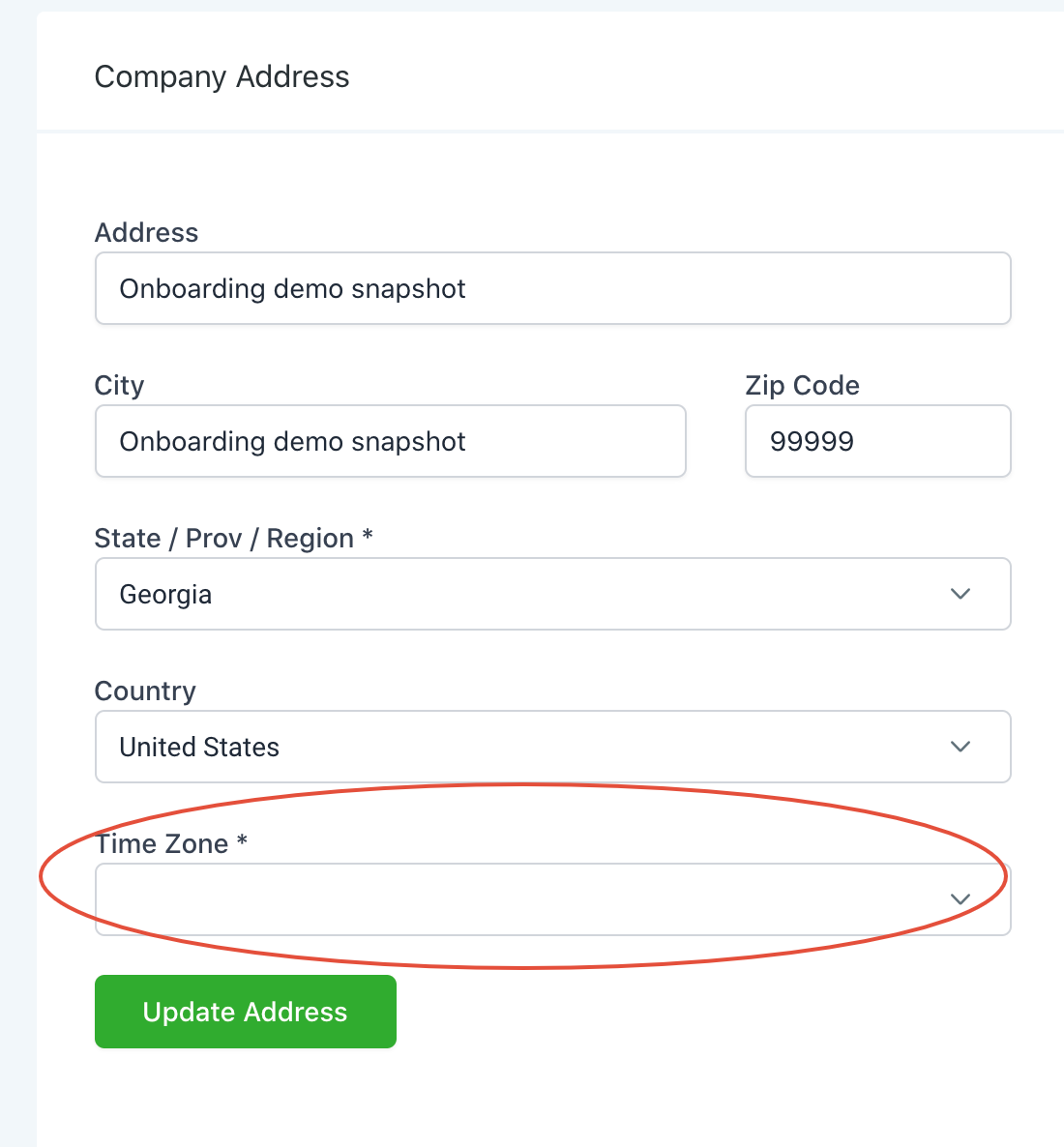
- Company timezone can't be blank. If it's blank, select a timezone that matches with the company address and reintegrate the GMB page again.
- Try to click “Change page” and select the GMB page again in Settings -> Integrations
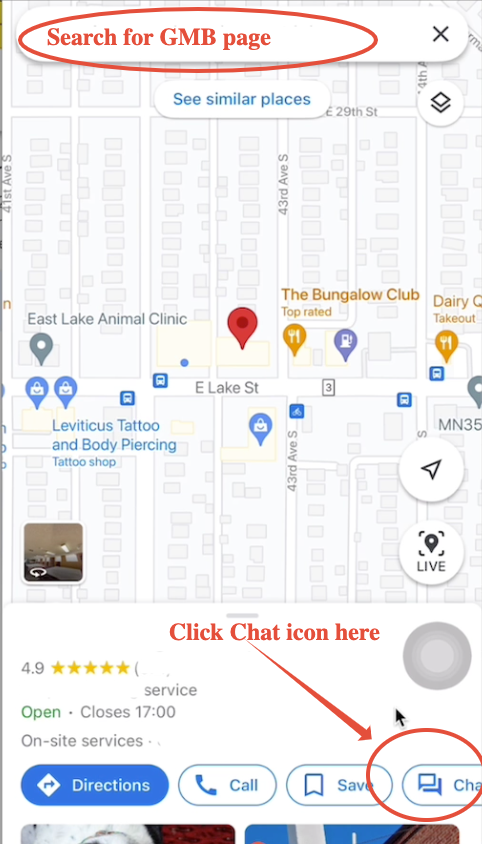
If it's still not working, copy the exact GMB page name from Integrations, look up the Google my business page name in the Google Maps mobile app.
Click the Chat icon here, if no chat icon is showing, reach out to support@getlevelup.xyz
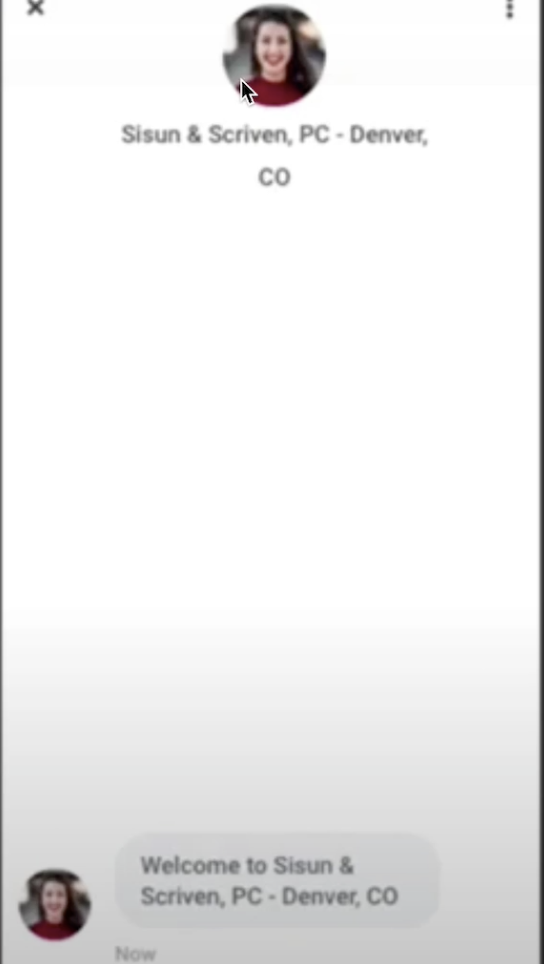
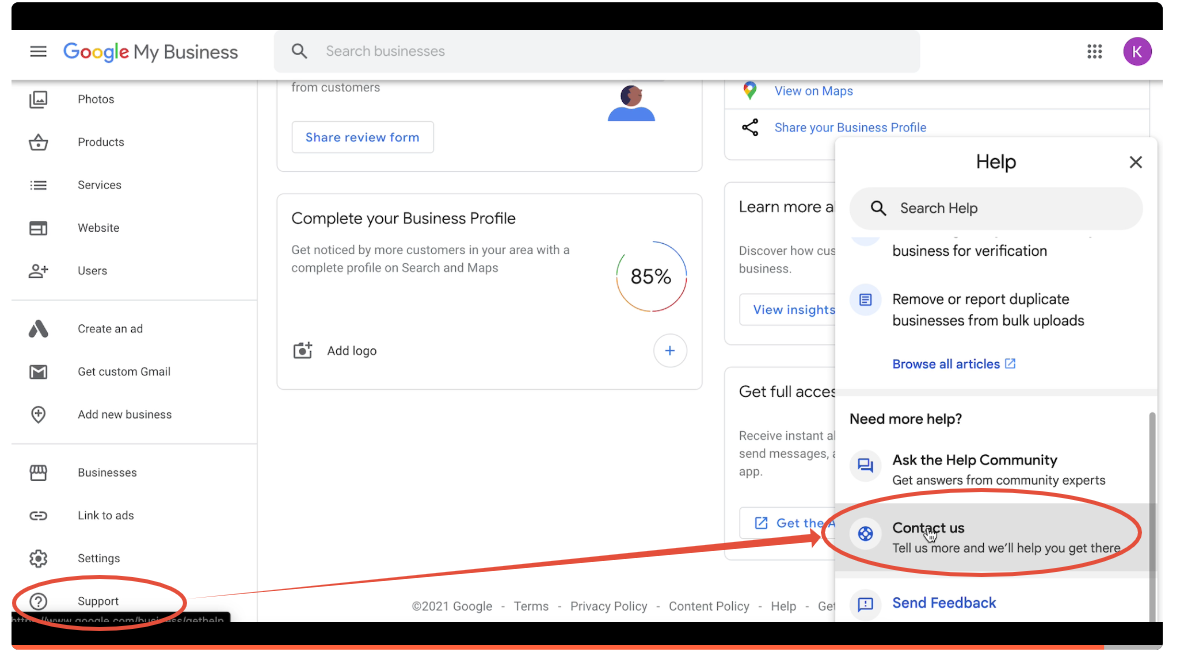
Once you open the chat, if the picture above is NOT showing this lady here, that means your GMB page is still connected to another CRM like podium and you will need to ask GMB support to un-launch the app associated with your page.