Converting funnels and websites with the new import feature # Overview
Ever wanted to convert or import a website or funnel page into a new funnel/website you're building? With the new import feature this can now be achieved on the fly.
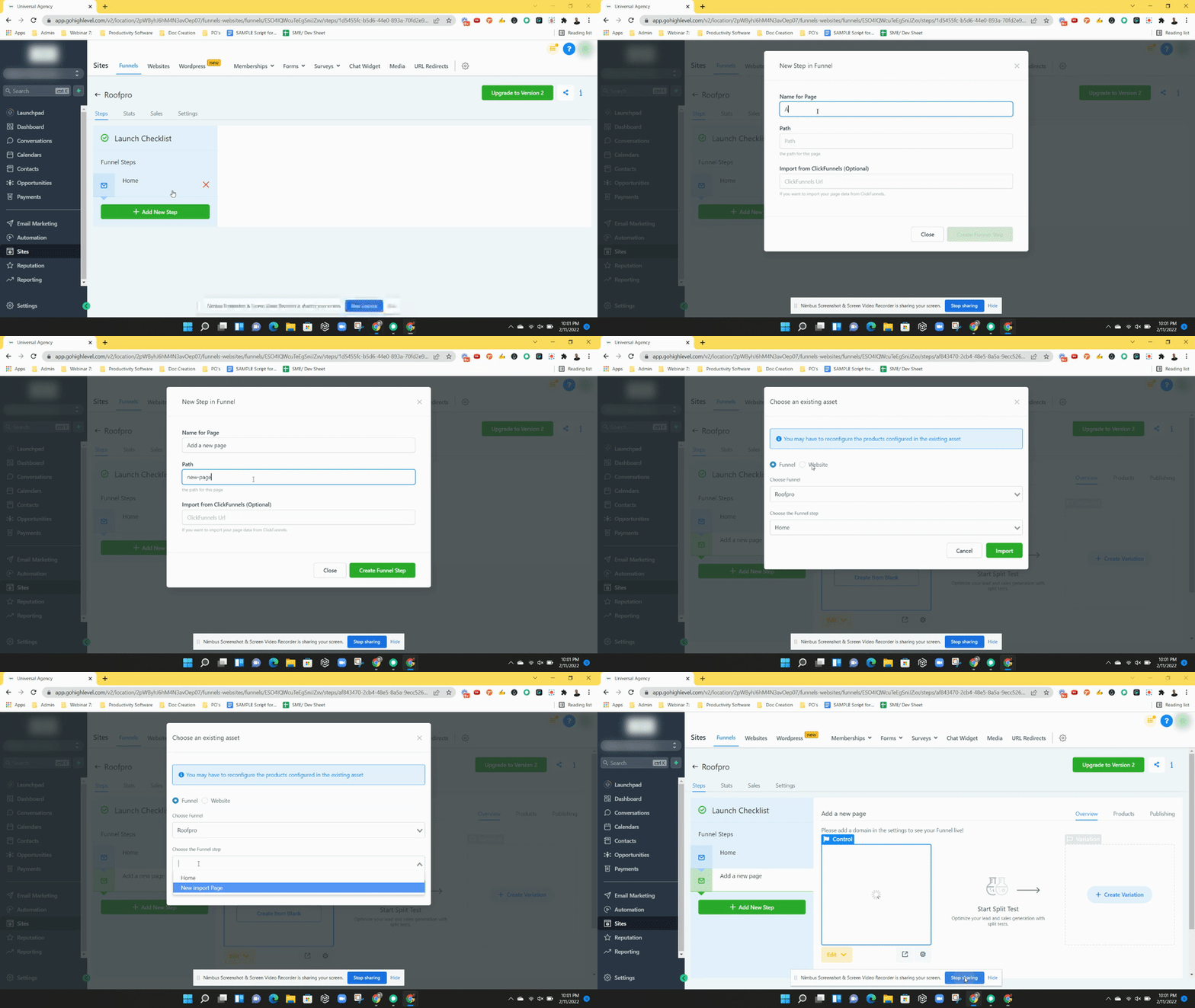
How does it work?
Step 1: Click on“+ Add New Step” button to add a new page to your funnel or website,
Step 2: A pop up will appear, continue to name your page and path
Step 3: Click on “Create Funnel Step” to close the pop up
Step 4: A new modal window will appear in the funnel preview area, click on the “Import” button
Step 5: Select which page you would like to import and click “import”
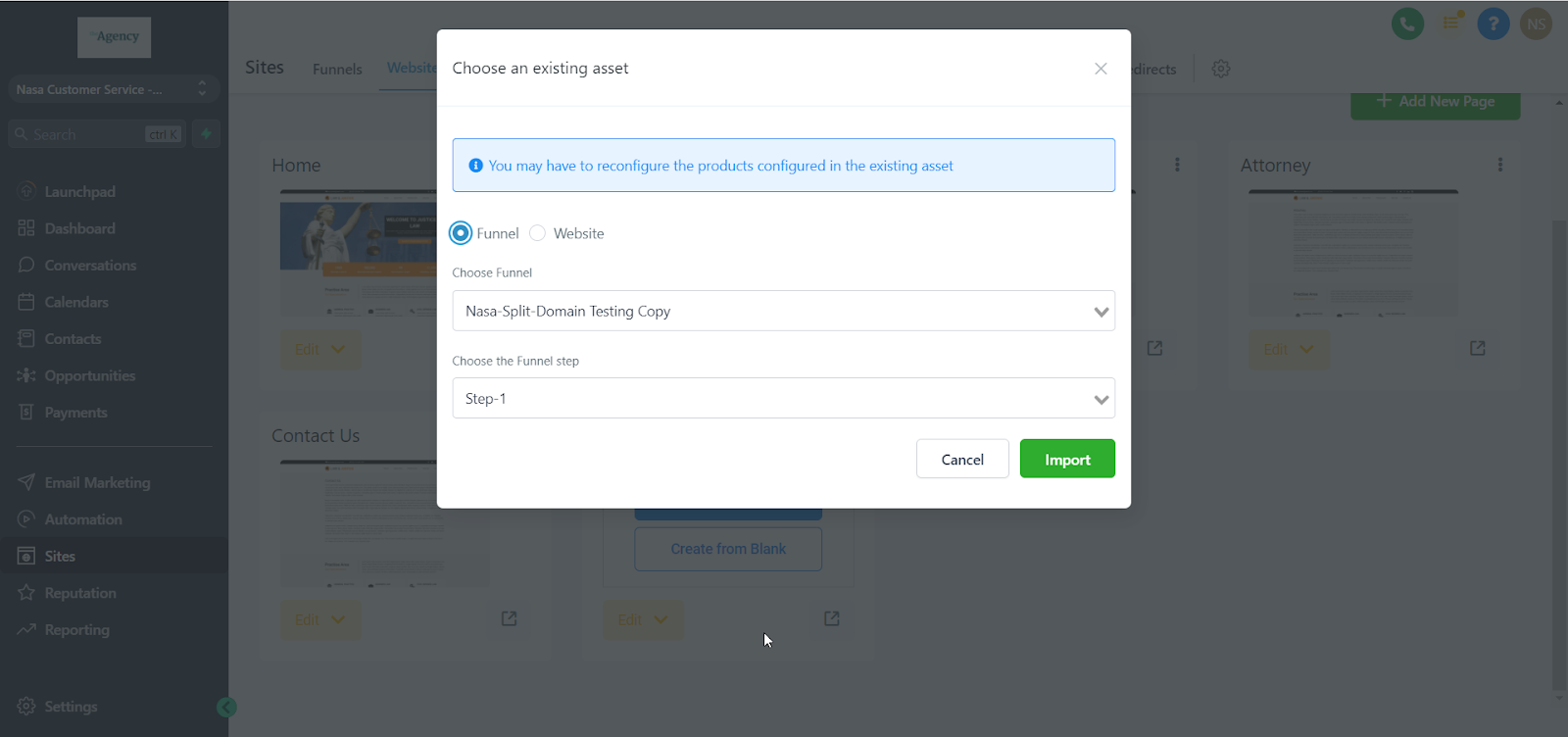
Please Note:
- In order to import or convert a funnel/website you first have to add a new step
- Import Funnel / Website feature imports only a single funnel step or a webpage
- You may only import an existing funnel step or website page within LevelUp
- Does not import from other websites/funnel providers
- Changes to any imported step/page will NOT affect the original step/page
- The import feature will NOT import the products configured or the stats accumulated on the source funnel step. Products have to be configured again after the import
- *You can import a control or variation step in a funnel as well
- *If you want to run split test on websites, please import that pages into funnels and run a split test there.
- *Split testing is available on PRO plans only