Search
⌘
K
LevelUp Help Docs
Getting Started
Automation
Calendars
Contacts
Adding Files To Contacts
Allow duplicate contact explained
Automatically Merge Facebook Messenger Contacts With LevelUp
Bulk Actions For Contacts & SmartLists
Getting Started With Smart Lists
How to restore deleted contacts
Importing Contacts List
Conversations
Integrations
Marketing
Opportunities
Payments
Phone
Reporting
Reputation
Settings
Sites
LevelUp Help Docs
/
Contacts
How to restore deleted contacts
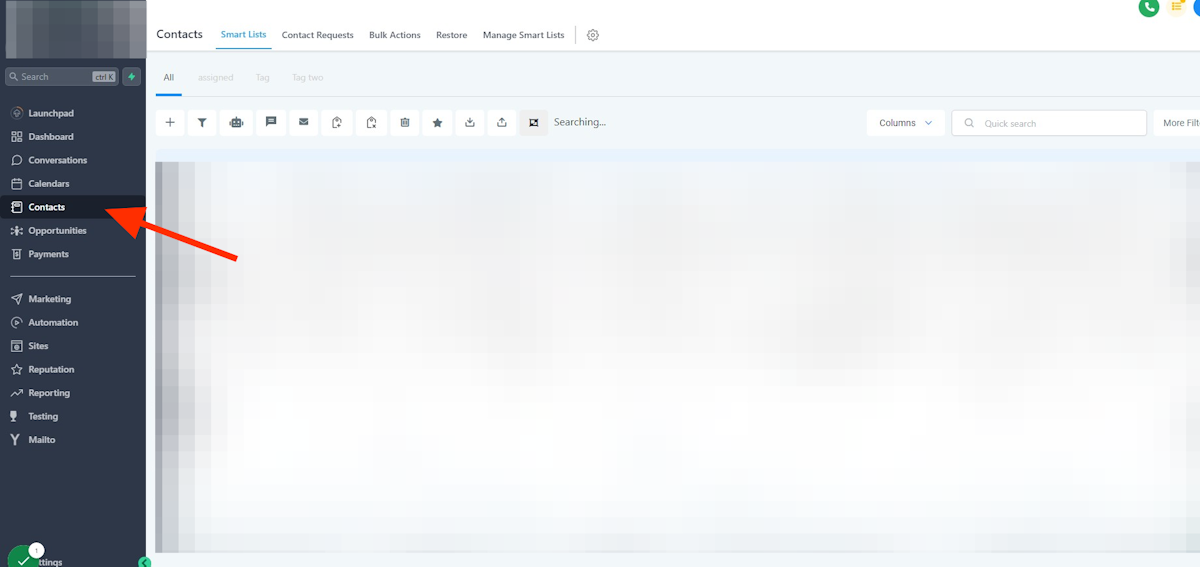
1. Click on Contacts
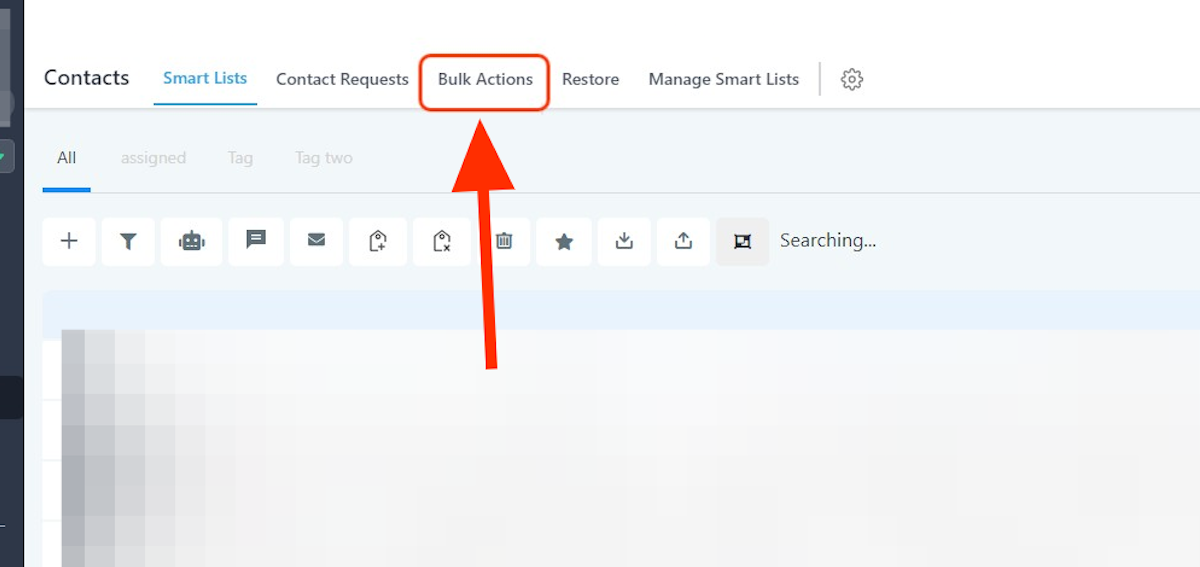
2. Click on Bulk Actions
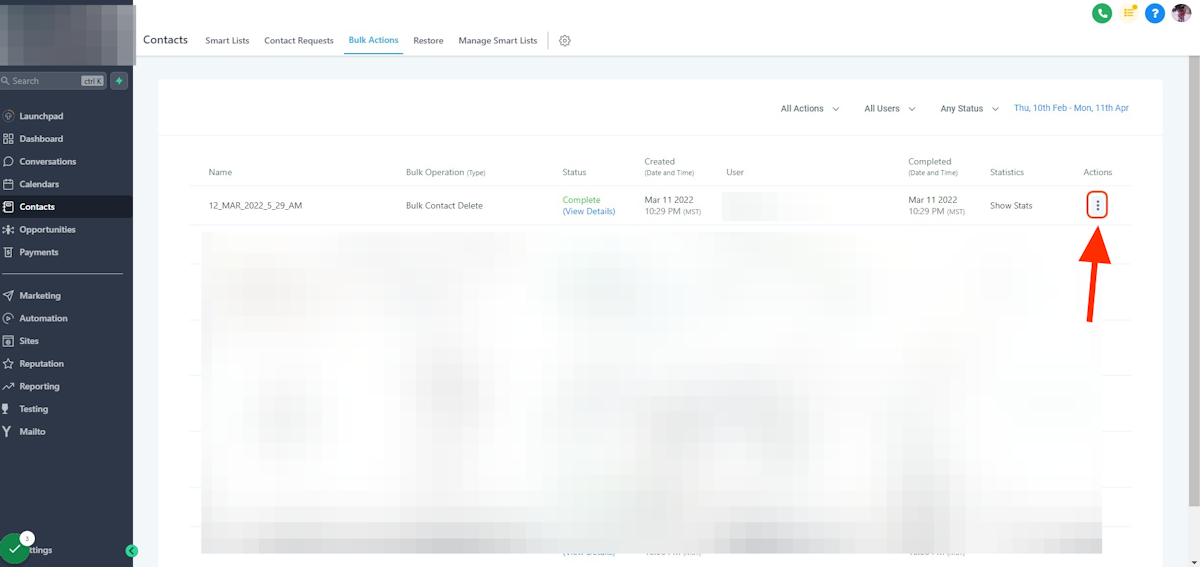
3. Click on dropdown trigger
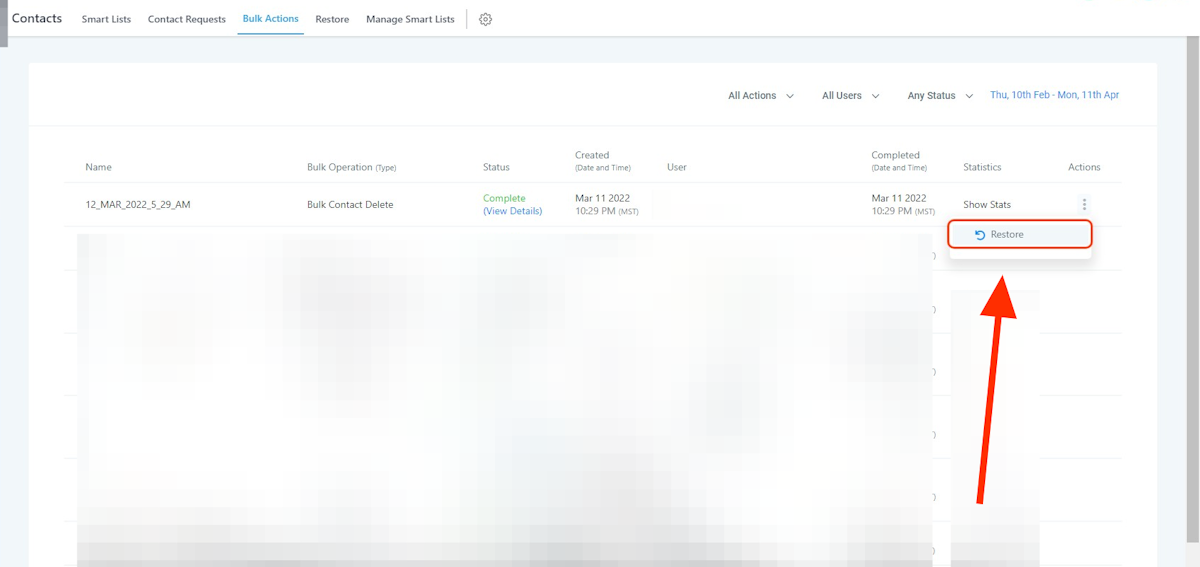
4. Click on Restore
This will restore the contact(s):
Opportunities
Notes
Tasks
Appointments
Conversations
Campaigns/Workflows
Getting Started With Smart Lists
Importing Contacts List
Powered by
Notaku
Helpful?
Share
Content
How to restore deleted contacts
1. Click on Contacts
2. Click on Bulk Actions
3. Click on dropdown trigger
4. Click on Restore