Search
⌘
K
LevelUp Help Docs
Getting Started
Automation
Calendars
Contacts
Conversations
Unread VS Read - Must Manually Mark as Read
Integrations
Marketing
Opportunities
Payments
Phone
Reporting
Reputation
Settings
Sites
LevelUp Help Docs
/
Conversations
Unread VS Read - Must Manually Mark as Read
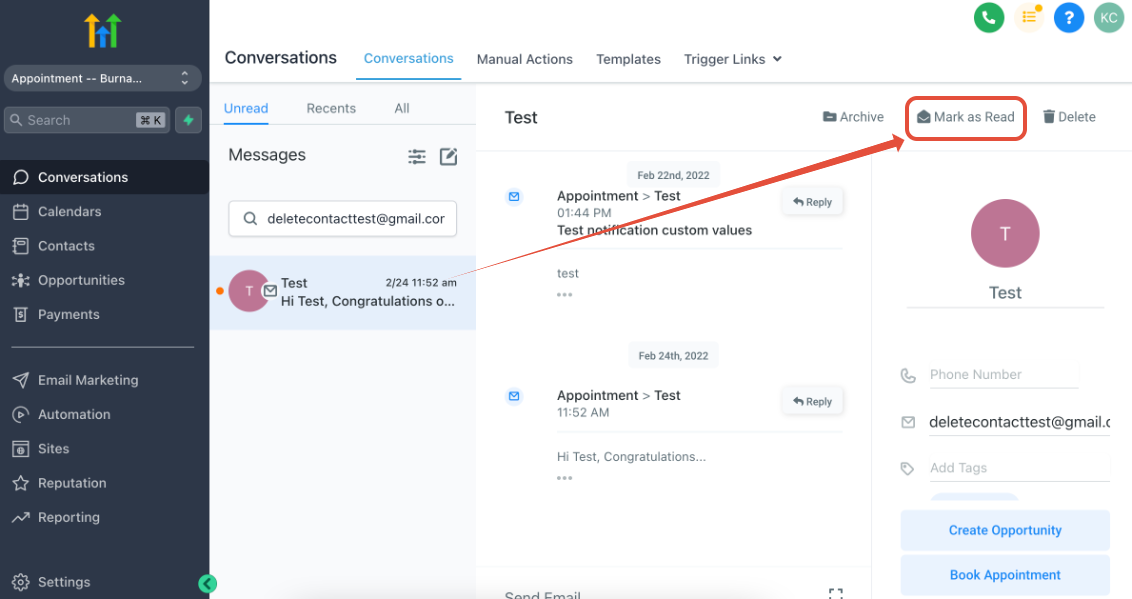
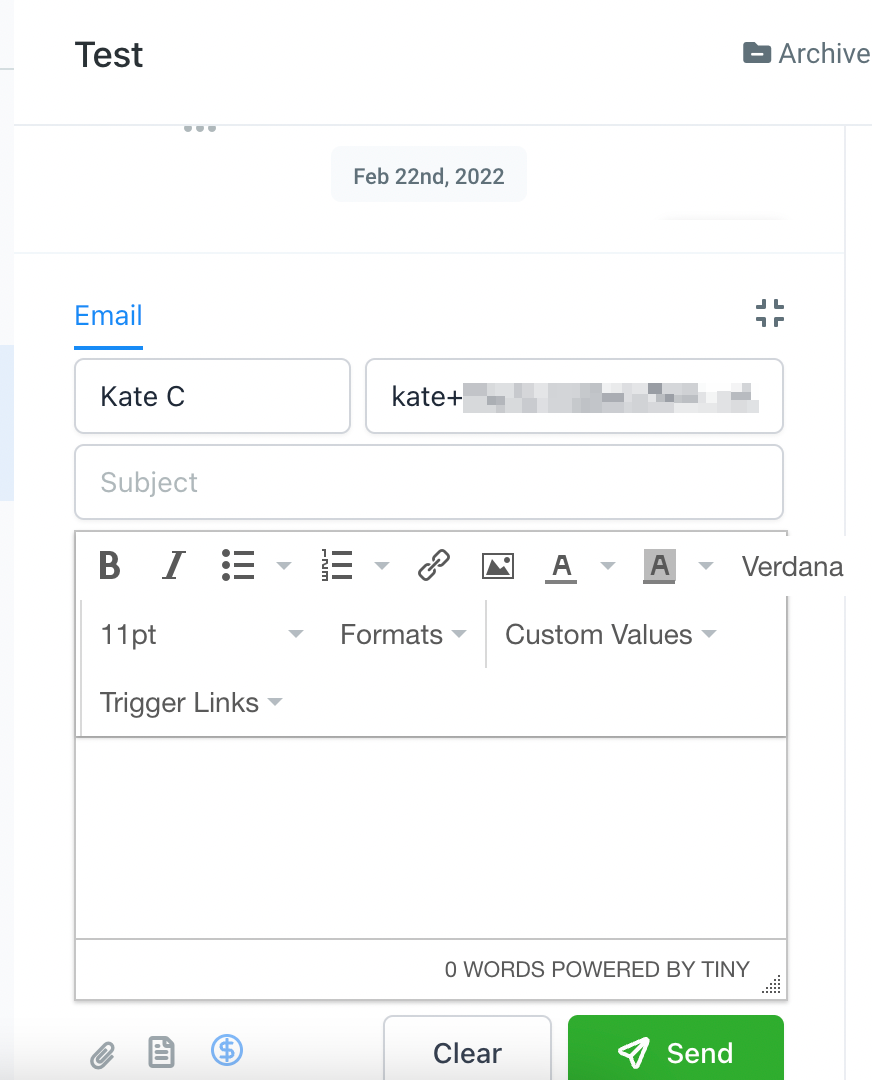
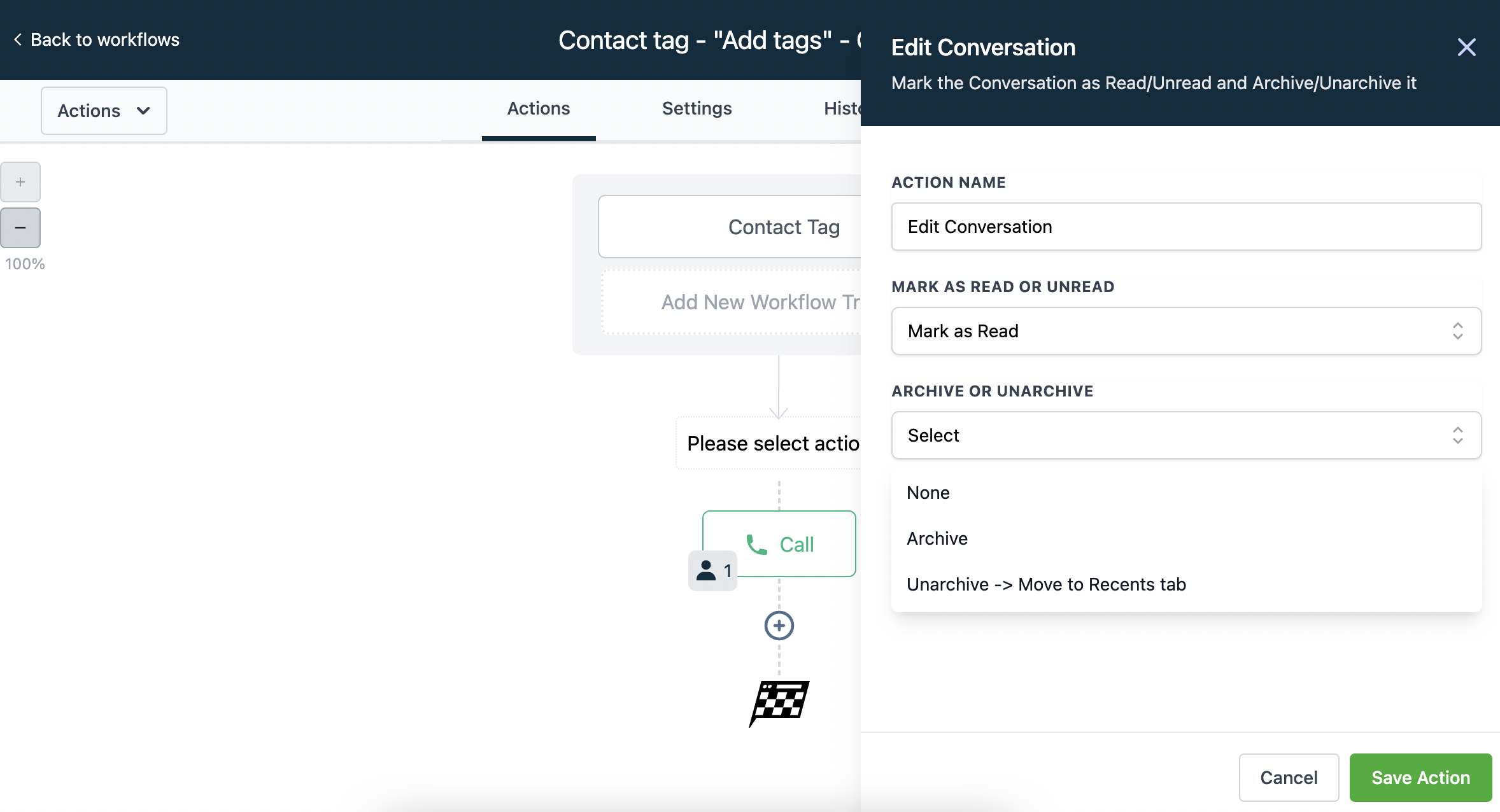
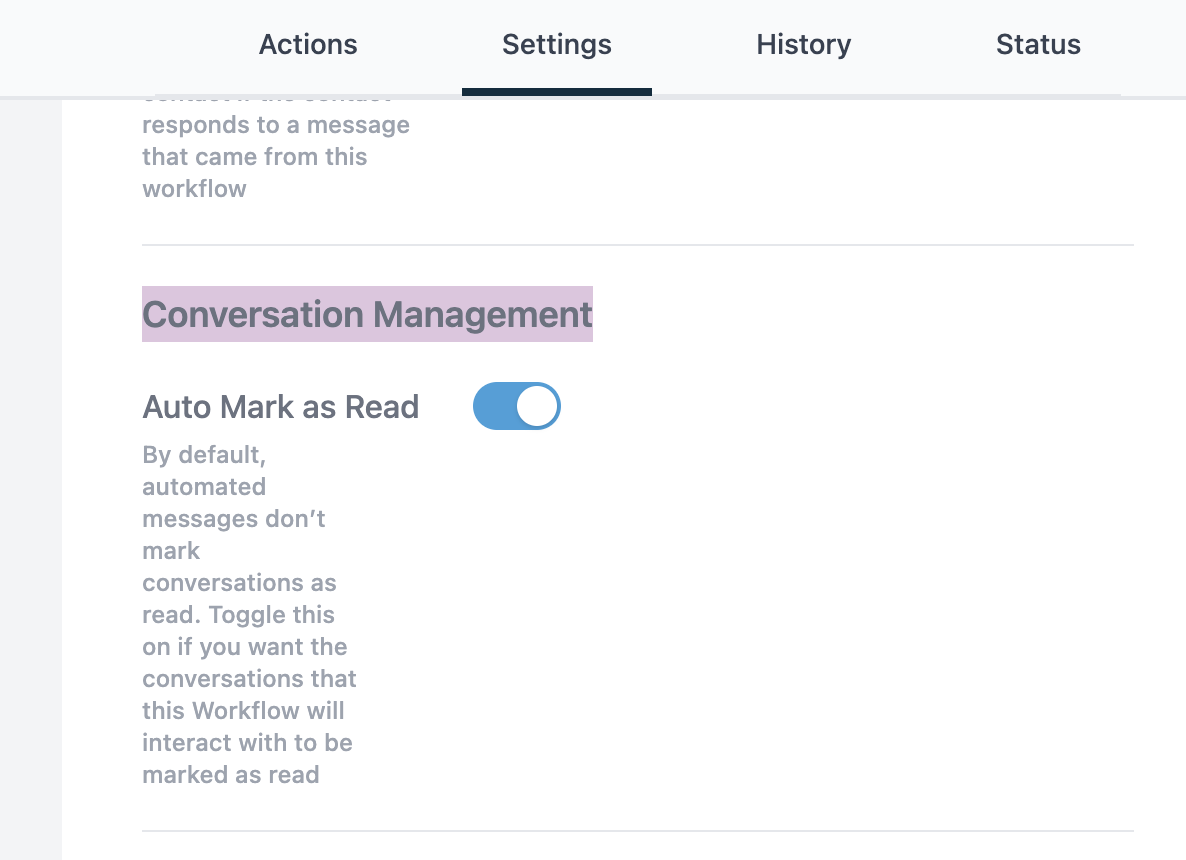
How to mark the Conversation as read:
1. Click
Mark as Read
2. Reply to the conversation manually
3. Use workflow action to
edit conversation
4. Toggle on Auto Mark as Read in the workflow settings
Conversations
Integrations
Powered by
Notaku
Helpful?
Share
Content
Unread VS Read - Must Manually Mark as Read
How to mark the Conversation as read: